Overview and Characteristics of the Krikya App in 2026
What is the Krikya mobile app and who is it for?
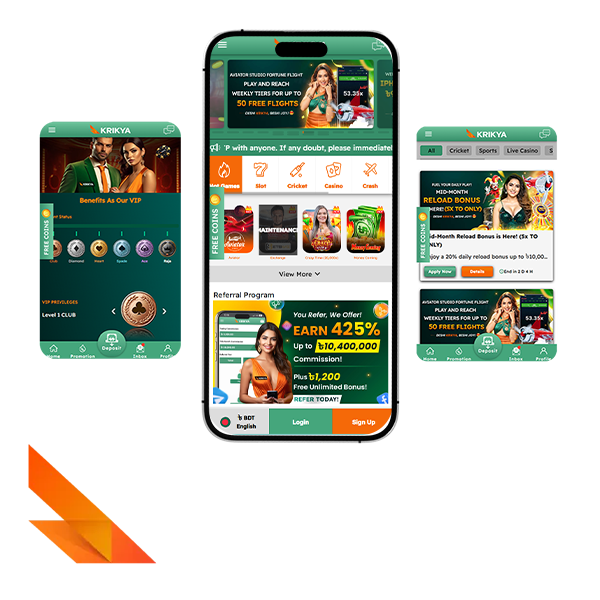
The Krikya mobile app is the compact version of the main platform for players in Bangladesh. It runs on Android and iOS devices and gives access to the same core features as the desktop site, including sports betting, live betting, casino games and promotions, all in BDT. It is aimed at players who place most bets from a phone, want fast logins and prefer an app icon on the home screen instead of opening a browser every time.
How is the app different from using the Krikya mobile site in a browser?
For a quick comparison, it helps to look at the main usability differences between the app and the mobile site. Both options work for real money play, but they feel slightly different in daily use.
| Feature | App | Mobile site |
|---|---|---|
| Installation | Needs one-time download and install | No install, opens in any mobile browser |
| Speed and performance | Usually a bit faster and smoother | Depends on browser and tabs in memory |
| Access | One tap from home screen icon | Requires opening browser and entering site |
| Updates | Needs periodic app or PWA refresh | Always current as soon as site loads |
| Storage use | Takes some space on the device | Uses almost no device storage |
| Extra options | Can show app-focused prompts and buttons | Matches the desktop site structure |
In practice, the app suits a regular bettor who logs in many times a week, while the mobile site is convenient for quick checks from any device without installing anything.
Which devices and screen sizes does the app support for daily use?
The Krikya app is designed for standard smartphones and tablets that meet basic modern requirements, so almost any recent device in Bangladesh can handle it. The key point is that the operating system and memory should not be too old or full.
For stable daily use the recommended baseline looks like this:
- Android 9.0 or higher, or iOS 11.0 or higher;
- At least 1 GB of RAM;
- Several dozen megabytes of free internal storage for the app file and updates;
- A stable 3G, 4G, 5G or Wi Fi connection.
If a device fits these parameters, the interface scales well to common screen sizes and remains readable on small phones and larger tablets.
Does the Krikya app work reliably on slower mobile internet connections?
The Krikya app is tuned to run on typical Bangladesh mobile networks and does not require very high bandwidth for basic functions such as logging in, placing pre match bets or spinning slots. The official materials point to stable 3G, 4G, 5G or Wi Fi as the target connection types.
On a weak but stable 3G signal the app can still handle balance checks, simple markets and most casino titles, while a stronger 4G or Wi Fi link is more comfortable for live betting and longer sessions without delays.
Can one account be used both in the app and on the desktop site?
Krikya ties the profile to the login details, not to a single device. One account works across the desktop site, mobile site and both mobile app options, so the same balance, bets and bonuses appear after a regular sign in on any platform.
For security, it is better if only the account owner installs the app and uses the login on personal devices, even though technically the same profile can be accessed from several devices at different times.
Is the app free to use or are there any hidden charges for players?
The Krikya app is free to download and install from the official site and from the in site buttons for Android and iOS. The technical tables list the download cost as free, and there is no extra app fee on top of normal bets and casino play.
Any charges that appear are standard third party costs, such as mobile data spending at the player’s operator or banking and wallet fees on deposits and withdrawals, not extra fees from the app itself.
Krikya App Installation on Android
How to download the Krikya app apk?
The Android version is distributed as an apk file from the official Krikya site 2026, not through an external store. To keep the process simple, it helps to follow a short step sequence:
- A player opens the official site in a mobile browser on an Android phone;
- From the main menu or banner, the player goes to the App or Download section;
- The Android option is selected, which triggers the apk download from the official link;
- The browser saves the apk file in the Downloads folder on the device;
- After the download finishes, the player taps the file and confirms installation.
After these steps the Krikya icon appears on the home screen or in the app list, and the player can log in with a regular account.
Why is the Krikya Android app not available in the Google Play Store?
In the system information table the Krikya app lists availability on the Play Market as no. The operator distributes the betting app directly from its own site instead of using the Google Play Store, which follows stricter rules for gambling software in many regions, including Bangladesh.
From the player’s side this means the apk should always be taken from official pages and in site download buttons, not from third party mirrors or file collections.
What Android version and free space are recommended for stable work of the app?
For Android users the app is meant to run on modern devices rather than very old phones. System requirement tables for recent builds point to current versions of the operating system and modest resource needs.
A practical recommendation for stable work is:
- Android version: 9.0 or higher;
- RAM: at least 1 GB;
- Processor: roughly 1.2 GHz or faster;
- Free space: around 100 MB on internal storage to hold the apk, installed files and future updates.
Keeping a small reserve of free memory above this level helps the app install without errors and reduces the risk of freezes during updates.
How to allow installation from unknown sources in phone settings?
Because the apk is installed from the browser and not from Google Play, Android can block it by default. The player needs to give the browser or file manager permission to install unknown apps.
On most modern Android devices the path looks like this:
Open Settings and go to the Apps, Security or Privacy section Find the entry that controls installing unknown apps or unknown sources Select the browser or file manager that downloaded the Krikya apk Switch on the permission to allow installation from this source Return to the Downloads folder and run the apk again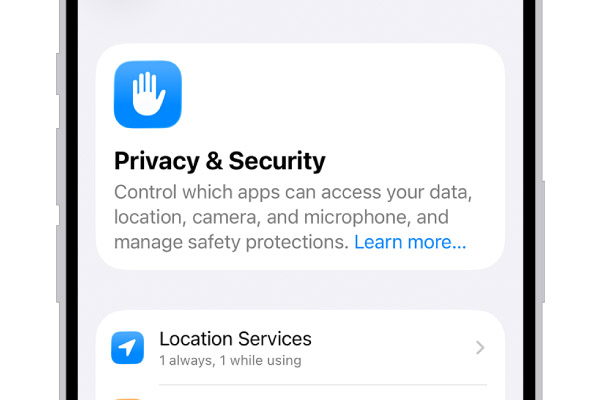
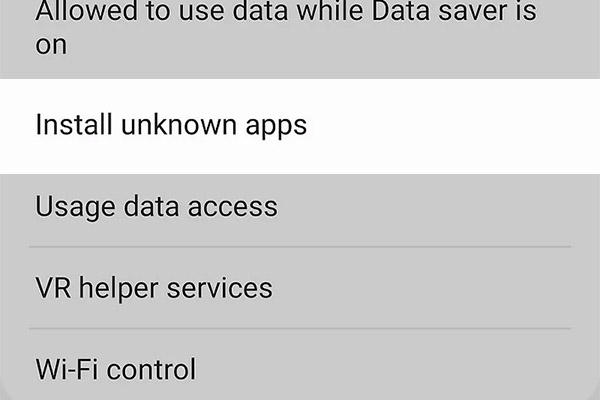
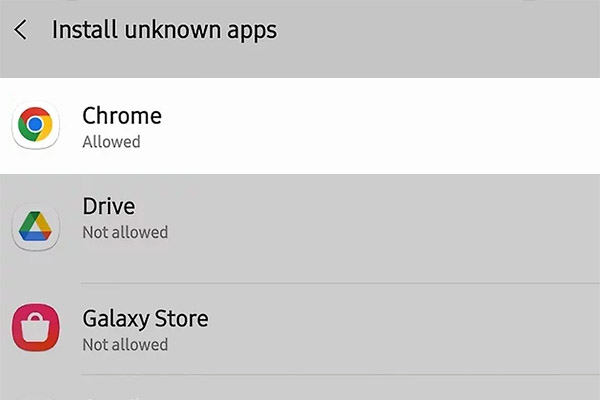
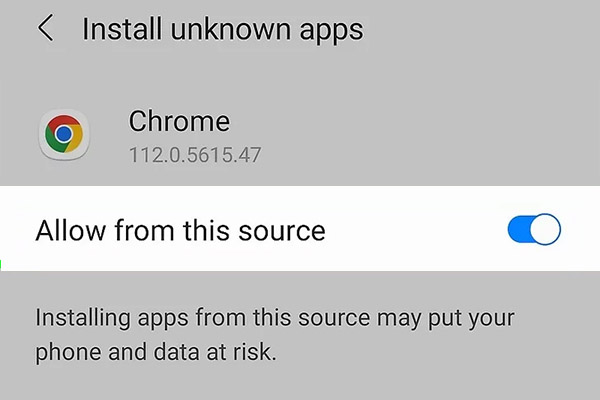
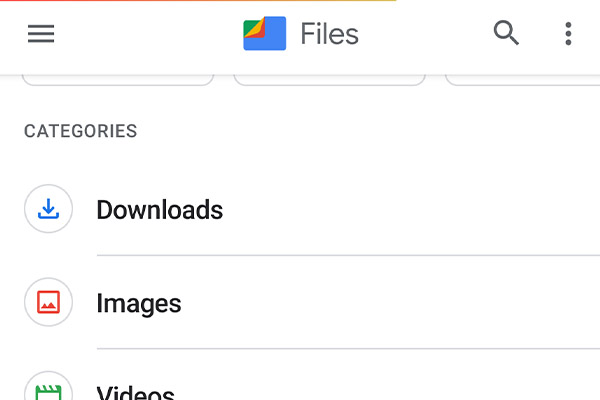
Once the app is installed the permission may stay on for future updates, and the player will not need to switch it for every new build.
Can the apk be installed on more than one Android device with the same account?
The apk file itself can be downloaded and installed on several personal Android devices as long as each device meets the system requirements. The actual Krikya profile lives on the server, so the same login and password will open the same balance and bet history regardless of which phone is used.
For safety, it is better that only the account owner uses these logins, and that the account is not shared across many devices at once, so security checks and confirmations remain easy to control.
What should a player do if the installation stops with an error?
If the Krikya app refuses to install or the process stops in the middle, the issue is usually technical and can be solved with a short checklist. The causes described for installation problems are compatibility limits and lack of storage.
A practical troubleshooting list for Android looks like this:
- Check that the Android version meets the current minimum requirement for the app;
- Verify that there is enough free internal storage and clear space if necessary;
- Confirm that installation from unknown sources is allowed for the browser or file manager;
- Delete the partial apk file, download it again from the official link and retry installation;
- Restart the device before running the apk once more;
- If errors continue, contact support via live chat or email and describe the device model and error message.
By going through these points most players manage to complete the installation without needing any deeper technical changes on the phone.
Krikya App Installation on iOS
Is there a Krikya app for iPhone and iPad right now?
For iPhone and iPad owners Krikya offers an iOS solution in the form of a web based app installed through the browser. The current setup for Bangladesh is a PWA, which is added from Safari to the home screen and then behaves like a normal app icon, with its own window and interface.
The compatibility table lists the app as not available in the App Store, so the official route for iOS users in Bangladesh is through the website and the Add to Home Screen function, not through a direct store search.
How to install the Krikya app on iOS step by step?
On iOS, installation is closer to saving a site as an app than to installing a classic program from the store. The process takes only a couple of minutes if the steps are followed in order:
The player opens Safari on an iPhone or iPad and goes to the official site, using the button that leads to the iOS app page On the app page Safari’s Share icon is tapped In the menu the Add to Home Screen option is selected The player checks or edits the shortcut name if needed and confirms the action The icon appears on the iOS home screen as a PWA shortcut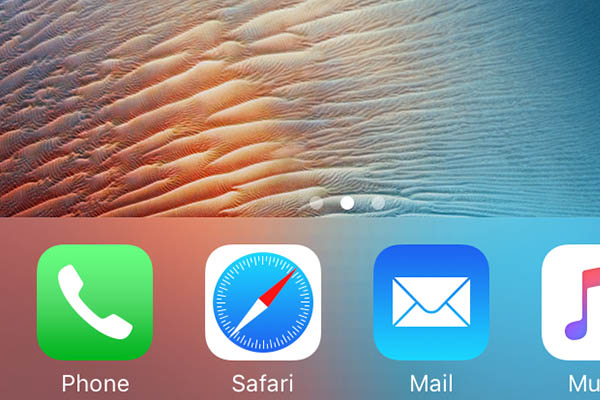
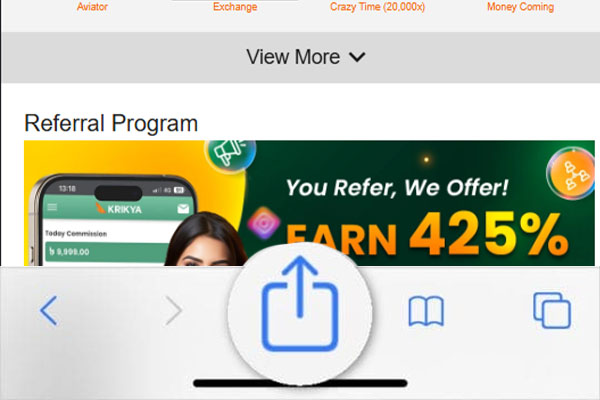
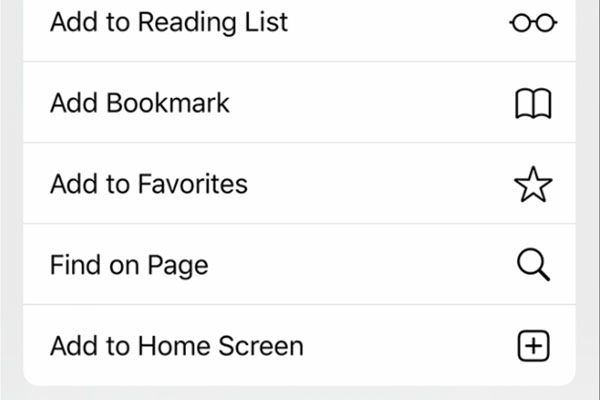
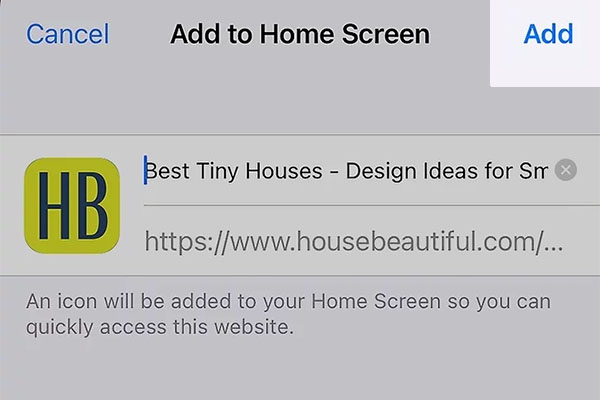
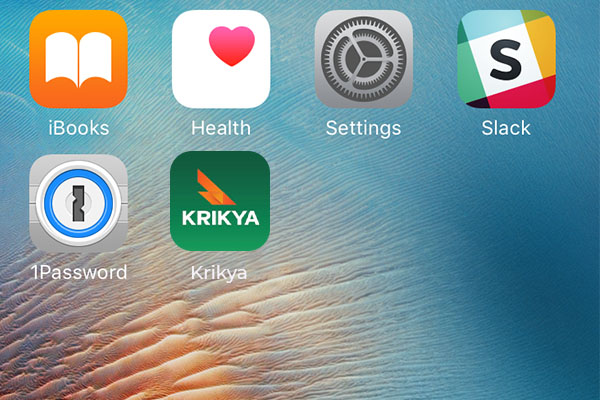
After this, the player launches Krikya from the icon just like any other app and logs in with the standard account credentials.
What iOS version is needed for smooth work of the mobile app?
The technical data for the Krikya app states that it supports iOS from version 11.0 upwards, with modest requirements for memory and storage.
To keep the app running smoothly on iPhone or iPad it is reasonable to use:
- iOS 11.0 or higher;
- At least 1 GB of RAM;
- Around 35 to 100 MB of free space for the app data and updates.
Any modern iPhone or iPad that fits these numbers should handle the Krikya interface and live sections without noticeable slowdowns.
Can iOS users add a shortcut to the mobile site on the home screen instead of the app?
Yes, this is exactly how the current iOS solution works for Krikya in Bangladesh. By using Add to Home Screen in Safari, the player pins the mobile version of the site on the home screen, and the shortcut runs as a standalone window with its own icon and splash screen.
For players who do not want to keep many native apps installed, this shortcut model offers quick access similar to a full app while still using the standard iOS browser engine under the hood.
Is it safe to install a casino app on iOS for real money gaming?
From the brand side the Krikya app and PWA use the same licensed platform, encryption and account system as the main site, so the protection level matches the desktop version. The operator lists a Curacao license and standard SSL protection for transactions and personal data in its app documentation.
From the device side iOS runs the app or PWA in a sandboxed environment, and as long as the icon is installed only through the official links in Safari, the risk of malicious files is kept low. The main rule for the player is not to share the login and to keep screen lock, Face ID or Touch ID active on the device.
What can a player do if the app or shortcut on iOS does not open?
If the Krikya icon on iPhone or iPad does not open or shows an error, the problem is usually related to the browser cache, network or outdated settings. A short iOS specific checklist helps isolate the cause.
Useful steps for iOS troubleshooting include:
- Check that the device is online and can open other sites in Safari;
- Close Safari and the window from the app switcher, then try again from the icon;
- If the problem persists, delete the shortcut from the home screen and repeat the Add to Home Screen installation from the official site;
- Make sure the iOS version is not lower than 11.0 and update the system if a new version is available;
- If the icon still does not work, open directly in Safari as a normal mobile site and contact support via live chat or email from the help section.
In most cases reinstalling the shortcut and checking the connection is enough to restore full access to the Krikya services on iOS.
Login and Registration in the Krikya App
How to log in to the Krikya app with an existing account?
To log in, a player uses the same details that are used on the main Krikya website. The account is one and the same on all devices.
The basic steps look like this:
- The player opens the app icon on the phone;
- On the start screen, the player taps the Login button;
- The phone number or username and password are entered in the form;
- If needed, the country code for Bangladesh is checked;
- The player taps to confirm and waits for the lobby to load.
After a successful login, the balance, bets, and Krikya bonuses match what the player sees on the desktop site.
Can a new player complete full registration directly inside the mobile app?
A new player can create a full Krikya account directly in the app without using a browser. The registration form in the app repeats the main website and is linked to the same backend.
A player selects Register, fills in phone number, password and basic contact details, chooses BDT as the account currency, and agrees with the terms. In some cases an SMS code is sent to confirm the number. After this the account is ready for deposits and play, and no extra profile is needed on desktop.
How to switch between app login and website login without creating a second account?
The app and the website use one shared profile, so the player must always log in with the same phone number or email and password. Switching between them is only a matter of device, not of account.
It helps to follow a simple set of rules:
- The player does not register again when opening the site on a laptop;
- On a new device, the player uses the existing login and password;
- If the password is lost, the player uses the password recovery function instead of opening a new account;
- The player avoids duplicate registrations, because more than one account can lead to blocks or confiscation of funds.
If these rules are followed, deposits, withdrawals and bonuses stay tied to one stable profile.
How to enable fingerprint or Face ID login in the Krikya app on a personal device?
Biometric login is available on many modern phones and is useful for players who log in often from the same device. To turn it on, the player first needs a standard password login.
On most devices the flow is similar:
- The player logs in to the app with phone number and password;
- In the account or security section, the player finds the fingerprint or Face ID option;
- The system asks to confirm the current password once more;
- The player approves fingerprint or face scan in the phone system dialog.
From the next session, the app can be unlocked with a touch or face scan on that device. This should be used only on a personal phone that is locked with a PIN or code and is not shared.
What should a user do if the app shows an error during login or registration?
If an error appears during login or registration, it usually relates to credentials, network or an outdated app version. A short checklist helps to narrow it down:
- The player checks mobile data or Wi Fi and tries again on a stable signal;
- The login and password are checked for typos, including language layout and upper or lower case;
- If the password is forgotten, the player uses the password recovery link in the form and confirms the reset by SMS or email;
- The player checks that the app is the latest official version, not an old apk or modified file;
- If nothing helps, the player notes the error text and contacts support via chat or messenger, attaching a screenshot.
Support can then see the exact stage where the process fails and advise further steps.
Games in the Krikya App
Which casino games are available inside the Krikya app lobby?
The app gives access to the same main gambling sections that are offered on the full Krikya platform. The lobby is grouped so that a player can switch between casino and betting in a couple of taps.
The main categories look like this.
| Game category | What a player finds in the app lobby |
|---|---|
| Slots | Classic fruit slots, video slots, jackpot titles, and themed machines |
| Live casino | Live dealer roulette, baccarat, blackjack, and other table streams |
| Table and card games | Digital versions of blackjack, roulette, baccarat, and other card games |
| Sports betting | Pre-match and live markets on cricket, football, kabaddi, and other sports |
| Special or crash | Fast crash games, quick-win titles, and other instant sessions |
This mix lets a player keep all regular formats in one app without switching to the browser.
Are live casino tables and game shows fully supported in the mobile app?
Live casino is available in the app in the same way as on the main site. The player can join live roulette, blackjack, baccarat and game shows from the phone, with video and interface adapted to vertical and horizontal screens.
For a smooth stream, the app relies on a stable 4G or Wi Fi connection. On weak networks the video can buffer or drop quality, but the core features and dealer games remain the same as on desktop.
Can players place sports bets and live bets from the Krikya app?
Sports betting is one of the core functions of the app, so a player can place both pre match and live bets from the same account. The layout is built around quick slips and odds that are readable on a small screen.
A standard bet flow looks like this:
- The player opens the Sports or Cricket section in the bottom or top menu;
- A league or match is selected, for example cricket in Bangladesh or international football;
- One or more outcomes are tapped, and they move to the bet slip;
- The stake amount in BDT is entered;
- The player confirms the slip and waits for settlement.
This works for singles, multiples and many live situations inside the app.
Do games in the app load slower than on the desktop site or about the same?
On a normal connection, games in the app usually load as fast as on the desktop site and often a bit faster than in a mobile browser. The app uses its own interface and caching, while the web version depends more on browser speed and tabs.
If the internet is weak or unstable, both app and site can slow down, but the app is tuned to keep the lobby responsive and to reconnect to the game when the signal returns.
Is the game selection in the app the same as on the main Krikya website?
For a player in Bangladesh, the core game catalog is the same in the app and on the main site. Slots, live casino, sports and most crash games are shared between versions. New titles added to the website are normally available in the app as well.
In some cases separate providers or very heavy games can be limited on older devices. If a specific title is not visible in the app, the player can check the same section from the browser to see if there are any regional or technical limits.
What can a player do if a game in the app freezes or does not open?
Freezes usually come from network drops, lack of resources on the phone or an outdated app. A short sequence of checks helps in most cases:
- The player first closes the game window and checks the current internet status;
- Mobile data or Wi Fi is toggled off and on, or a different network is tried;
- The app is fully closed from recent apps and reopened, and the game is started again;
- If the problem repeats, the player clears the app cache in system settings and makes sure the latest version is installed;
- On older phones, closing other running apps can free memory for heavy slots or live tables.
If the same game still fails while others work, the player can send the game name, time of issue and a screenshot to support so the provider can be checked.
Payments in the Krikya App
How to make a deposit in BDT from the Krikya app cashier?
Deposits in the app go through the same cashier as the website, but with screens adjusted for mobile. The account currency for players in Bangladesh is BDT.
The step by step process is simple:
The player logs in and opens the balance or cashier section in the menu
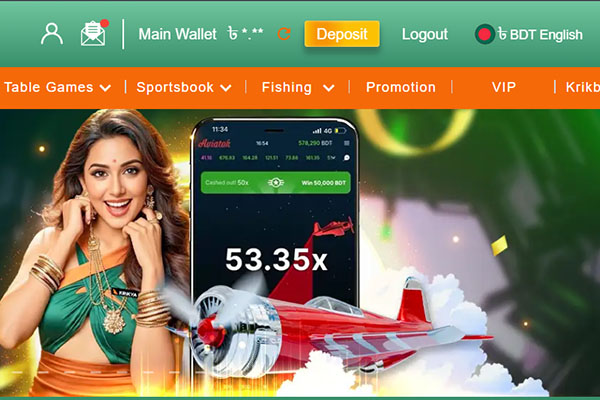
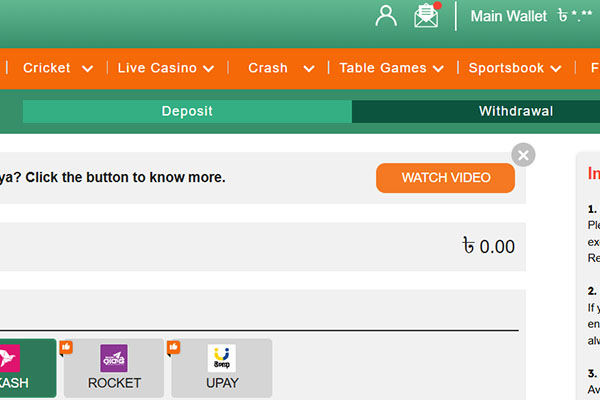
Deposit is selected from the list of operations
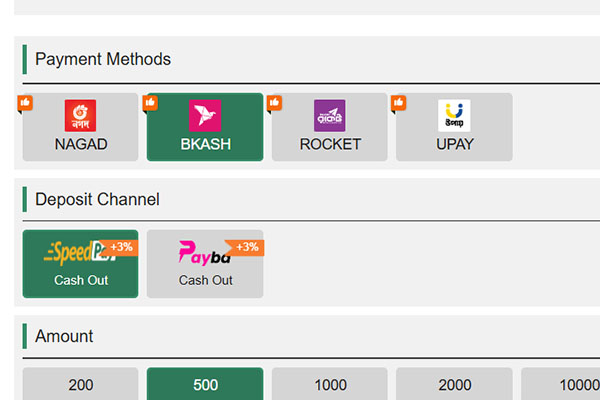
One of the available local methods is chosen
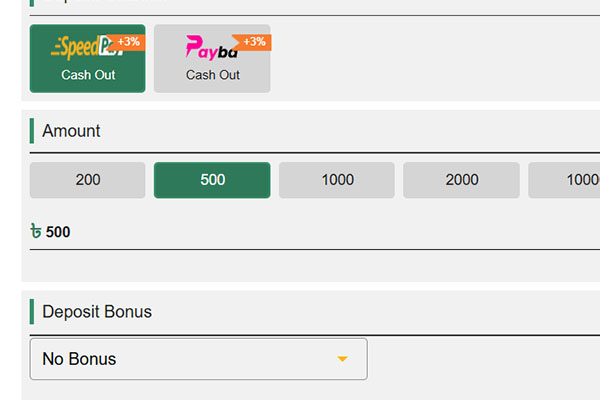
The amount in BDT is entered within the limits shown on screen
The player follows the payment instructions, such as confirming in the wallet app or entering a code
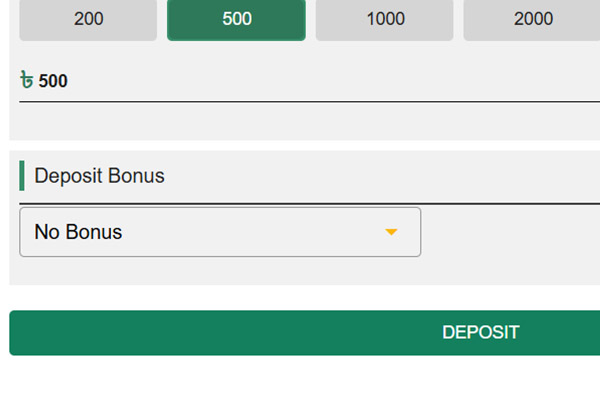
When the provider confirms the transfer, the money appears on the balance and can be used at once.
Which local payment methods are available inside the app for Bangladesh players?
Inside the Krikya app, the cashier focuses on methods that are popular in Bangladesh. A player can usually choose between mobile wallets and other local channels that also work on the main site.
Supported options include bKash, Nagad and Rocket, with additional services such as Upay or similar local systems available at times. The exact list is shown in the deposit and withdrawal sections and can be updated when new methods are connected or old ones are removed.
Can withdrawals be requested directly from the Krikya app balance page?
A player does not have to open a desktop browser to withdraw. Cash out requests can be made directly in the app from the same balance screen that shows deposits.
The player chooses Withdraw, selects a method that is already verified, enters the amount in BDT and confirms. The request then goes through the standard review process, with checks on account verification and bonus rules, just as on the website.
Can withdrawals be requested directly from the Krikya app balance page?
A player does not have to open a desktop browser to withdraw. Cash out requests can be made directly in the app from the same balance screen that shows deposits.
The player chooses Withdraw, selects a method that is already verified, enters the amount in BDT and confirms. The request then goes through the standard review process, with checks on account verification and bonus rules, just as on the website.
Are deposit and withdrawal limits in the app different from the Krikya website?
Limits are tied to the account and the payment provider, not to the device. This means that minimum and maximum amounts, daily or monthly limits and any other caps are the same in the app and in the desktop version.
The player can always see current limits next to each method in the cashier. If numbers differ from what was seen before, it usually means the provider changed conditions or the account status was updated, not that the app works by other rules.
Is it safe to save payment details in the app on a private device?
Saving details like frequently used wallet numbers can be convenient on a personal phone that is protected with a lock screen. Krikya processes payments over encrypted connections, and withdrawals go only to accounts that belong to the player.
Even so, it is better to avoid saving any financial data on shared or unsecured devices. On a public or family phone, the player should enter details manually each time and log out after finishing payments.
What should a player do if a payment in the Krikya app is pending for too long?
Sometimes deposits and withdrawals need extra checks from the payment provider or the casino team. If a transaction stays in pending status longer than usual, the player can follow a clear order of actions:
- The player checks the Payments or History tab in the cashier to see the latest status;
- Bank or wallet statements are reviewed to confirm whether the money left or arrived on the external side;
- The standard processing time for the chosen method is checked in the terms or FAQ;
- If the payment is outside this time frame, the player contacts support via chat, gives the transaction ID, time and amount, and provides a screenshot if available.
Support can then trace the operation with the provider and explain whether to wait more, cancel or take further steps.
Problems with Installation and Basic Fixes
Why does the Krikya app apk sometimes fail to download or install?
Download and install problems usually point to storage, compatibility or security settings on the device. The file itself is small, so serious errors are often on the phone side.
Common reasons include lack of free space, an outdated Android or iOS version, blocks on installations from unknown sources or a poor network that breaks the download. If the apk was taken from an unofficial site, the system can also refuse to install it for security reasons.
What basic checks should be made if the app does not open after installation?
If the icon appears but the app does not start or closes at once, a few quick checks help to find the cause:
- The player restarts the phone to reset temporary glitches;
- The device system is checked to make sure Android or iOS meets the minimum version;
- Free storage and RAM are checked, and unneeded files or apps are removed if space is low;
- If a VPN or firewall is running, it is turned off to see whether it blocks the connection.
If after these checks the app still does not open, reinstalling from the official Krikya source is the next step.
How to fix issues when the app shows a blank screen or loads very slowly?
A blank or endlessly loading screen often means that the app cannot fetch data from servers fast enough. Network and cache checks usually help.
The player first tests another site or app to confirm that the internet connection is live. If the network is fine, the player clears the app cache in the phone settings, closes all other heavy apps and tries again. Switching between mobile data and Wi Fi can also show whether the problem is tied to one channel.
When should a player reinstall the Krikya app and when is it not necessary?
Reinstallation makes sense when the app is clearly damaged or stuck on an old build. Signs include constant crashes at startup on all networks, missing interface elements or messages that the version is no longer supported.
If the app works but only one game or one section fails, reinstalling is usually not needed and the issue is more likely with that game or with temporary server work. In that case, the player can wait or contact support without deleting the app.
How to clear app cache and free space without harming the account?
Clearing cache removes temporary files on the device but does not touch the account balance or personal data, which are stored on the server side. This makes it a safe first step when the app slows down.
On Android, the player opens Settings, finds the Apps list, selects Krikya and taps Storage, then uses the Clear cache option, not Clear data. On iOS, the player can offload the app in storage settings and reinstall it from the official source. Before larger clean ups, it is wise to check that the login and password are remembered or safely stored.
How to contact support with screenshots or error details about the app?
When self checks do not solve the problem, support needs clear data to help. A short, structured message speeds up the process.
The player opens live chat or another support channel and states the device model, system version and app version if known. A screenshot of the error or blank screen is attached, along with the time and the actions that led to the issue, such as login or opening a specific game. With this information, the support team can forward the case to technicians or the provider and return with a more precise fix.