
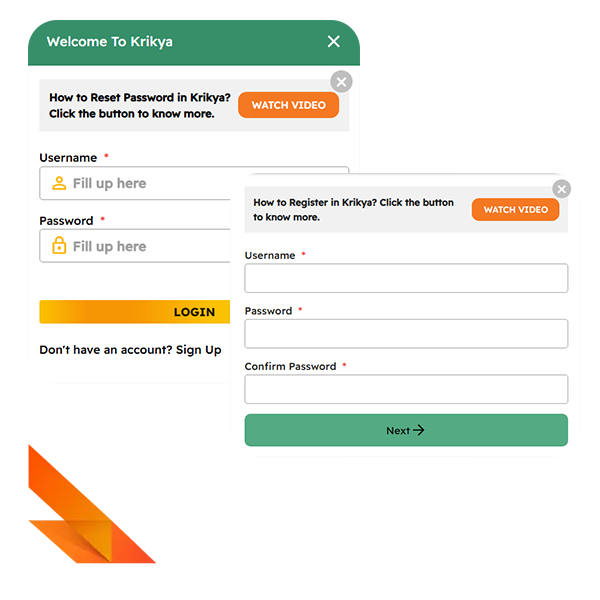
Registration at Krikya Casino
How to complete registration step by step on the official site?
First open the official Krikya site and click the Register button. Registration goes through two short screens with login data and contacts:
On the first screen type a unique username, create a password, repeat it and press Next On the second screen choose account currency, enter phone and email, add a promo code if you have one, then tick the boxes for age and terms Click Submit to finish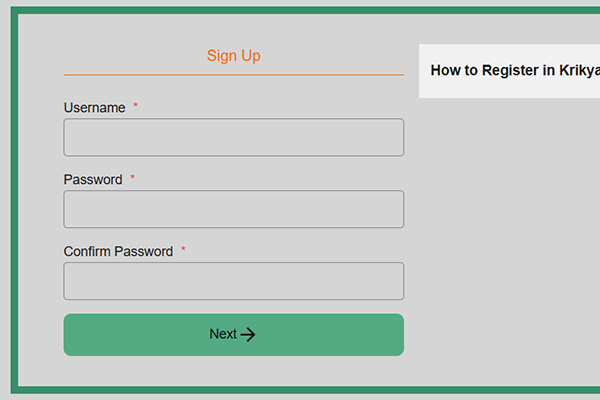
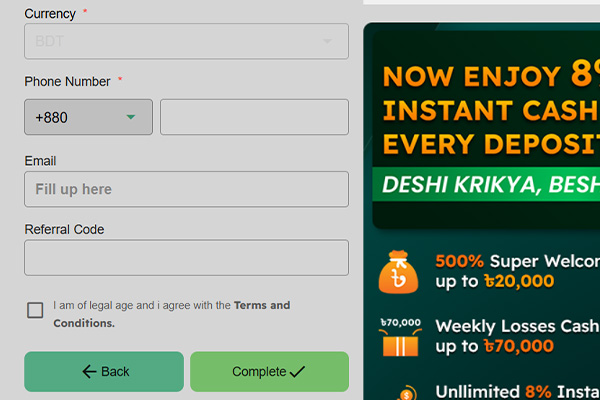
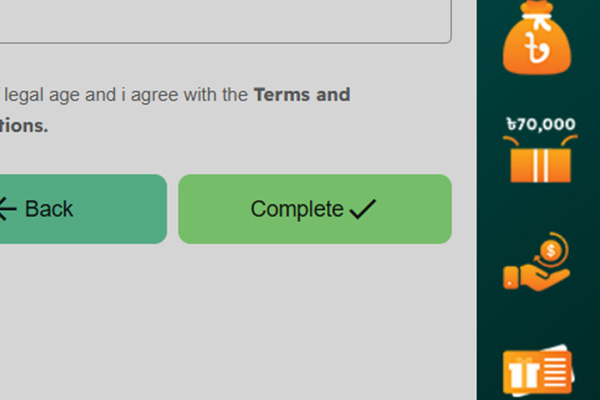
After that, you can log in with your username and password and move to deposits and games.
What personal details are required to sign up for a new account?
Krikya casino asks for a username, password, email, phone number, full name, date of birth and basic address details. Later, support can request an ID document and proof of address before large withdrawals.
Can a player register at Krikya using only a Bangladeshi phone number?
A Bangladeshi phone number is required, but it is not enough by itself to complete registration. Krikya casino still needs email and personal data, and one phone number can be linked to only one active account.
What are the age and residency rules for opening a real money account?
To open a real money account, a player must be at least 18 years old and legally allowed to gamble in their place of residence. The profile has to be created in the real name of the player, with a date of birth that matches their ID. Krikya targets Bangladesh, so it can block new accounts from restricted countries or regions. If checks show that a player is underage or using false details, the casino can close the account and cancel pending withdrawals, and self excluded users cannot open new profiles.
How to confirm email or phone number after Krikya casino registration?
Confirmation is done through a one time code or link sent to the email or phone you gave at sign up.
- Check your inbox or SMS for a message from Krikya with a code or activation link;
- Open the confirmation screen and enter the code or follow the link;
- Save changes, so the system marks this contact as verified.
After this, Krikya withdrawals and deposit work with normal limits and all security alerts reach you on the verified contact.
Can a player have more than one Krikya account with the same data?
No, each player can have only one Krikya account tied to their personal and payment data. Duplicate profiles with the same phone, email or documents can be blocked and their bonuses removed.
Why can the system decline or freeze a new registration request?
The system declines or pauses new registrations when the data looks invalid, risky or breaks the rules.
- Wrong or incomplete fields in the form, such as fake phone, email or date of birth;
- A match with an existing account that already uses this phone, email, device or ID document;
- Signs that the person is under the legal age or on a self exclusion list;
- Failure to pass initial document checks during quick verification.
In these cases the player has to contact support, send correct data and wait for manual review of the registration.
Krikya Casino Login
How to log in from desktop and mobile with one set of credentials?
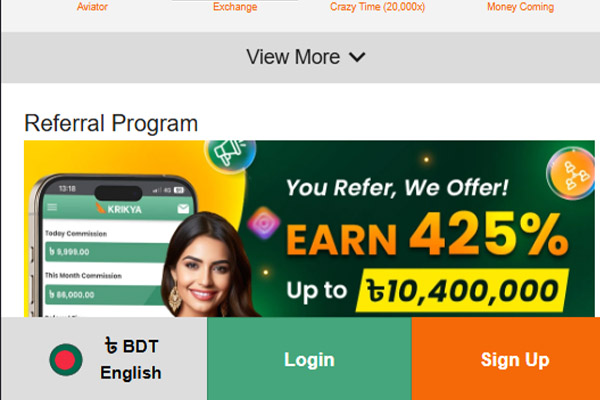
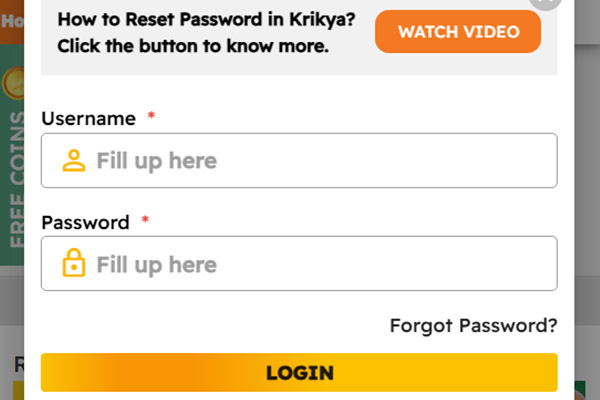
Use the same username and password and follow a simple login form on each platform:
On desktop open the official site, click Login, enter your username and password, then confirm On a mobile browser, open the same site or mirror, tap Login and enter your credentials If you use the app or a home screen shortcut, launch it and use the same username and password on the built-in login form
After the first successful login, you can save the device as trusted if the site offers this option, but only on your own phone or computer.
What to do if the login password for Krikya is forgotten or compromised?
Use the Forgot password option on the login page, choose email or phone, and follow the reset link or code to set a new password. If you suspect that someone else has seen your old password, change it immediately, log out on all devices and update security options such as two-step codes if they are available.
Why does the Krikya login page sometimes show an error or captcha?
Error messages and captcha checks usually appear when the system sees repeated failed attempts, unusual traffic or a session that expired. Temporary issues with your internet connection, cached data or an outdated mirror link can also trigger errors instead of a normal login screen. Clear the browser cache, reload the official address, check that username and password are typed correctly and wait a few minutes if the site is under heavy load. If captchas appear often, avoid using VPN chains and automated tools, so the system stops treating your device as suspicious.
How to stay logged in safely on a personal device?
Stay signed in only on a device that you control, with a locked screen and no access for other people, and never store your password in shared browsers. Use the Remember me checkbox only on such a device, log out after sessions that involve large deposits or withdrawals, and keep your operating system and browser updated.
What to do if login is successful but the balance or bets are missing?
A clean login with an empty balance usually means that you are looking at another wallet, product section or an outdated session, not that funds vanished.
- Refresh the page and check that you are on the correct site version and in the right currency wallet;
- Open the transaction or bet history to confirm that deposits and tickets are recorded under this account;
- Make sure you did not previously use a second profile or a social login with different credentials.
If the history shows the money or bets, but the current balance is zero, take screenshots and contact support so they can check the account log and restore the correct state.
Krikya Account Verification and KYC
What documents are required for full KYC verification on Krikya?
For full KYC, the site needs documents that confirm who you are and where you live.
- Government issued photo ID: national ID card, passport or driving license;
- A recent proof of address: utility bill, bank statement or official letter that shows your name and address;
- In some cases, a selfie with the ID or a short live video check to confirm that the document belongs to you.
The exact list appears in the verification section of your profile, so you only upload the files that are requested there.
How to upload identity documents and proof of address in the profile?
First log in, open your account profile and go to the KYC or Verification section. There you choose the document type, upload clear photos or scans from your device and confirm the submission. Make sure all four corners of the document are visible, text is readable, and the file format matches the site requirements. When everything is uploaded, the page usually shows a pending or under review status next to each document.
How long does verification usually take for new and existing players?
Standard KYC checks are usually processed within a few hours to one business day, depending on the queue and clarity of the documents. Complex cases or extra checks can take longer if support has to ask for additional files.
Can a player change personal data after KYC is approved?
Basic details like address or phone can normally be updated through the profile or by contacting support with fresh proof. Core identity data such as full name or date of birth is changed only in rare cases and always requires new official documents that confirm the correction.
What are the most common reasons why Krikya casino verification is rejected?
Rejections almost always come from document quality or mismatched data, not from the fact of playing itself.
- Blurry photos, cut edges or glare that hides parts of the ID;
- Expired documents or statements older than the allowed period;
- Name, date of birth or address in the documents that do not match the profile;
- Screenshots instead of original statements or heavily edited images.
If verification fails, support usually explains what was wrong and which new file to send.
Can deposits, bonuses and withdrawals be used before full KYC is complete?
Most players can deposit and claim basic bonuses before full KYC, but limits stay tighter until checks are finished. Large withdrawals, high total payouts and some promotions are locked behind completed verification, so serious play is only comfortable after KYC is approved.
| Action | Before full KYC | After full KYC |
|---|---|---|
| Small deposits | Usually allowed | Allowed |
| Welcome bonus | Often allowed | Allowed |
| Large cashouts | Limited or held | Fully allowed |
Because of this, it is smarter to pass KYC early and avoid delays when you decide to withdraw bigger amounts.
How to check the current KYC status in the Krikya casino account settings?
Open your profile menu and look for a Verification or KYC status line. It normally shows states like not started, pending, approved or rejected, sometimes with separate lines for identity and address. The same page often displays which document is still missing and offers an Upload or Resend button. If the status has not moved for a long time, you can contact support and mention the exact wording shown in this section.
How Krikya stores and protects verification documents from third parties?
Verification files are kept on secure servers with restricted access and used only for identity checks, legal obligations and payment safety. Staff who handle these documents work under strict internal rules and confidentiality obligations. Data is transmitted through encrypted connections, and third parties can access it only when the law or payment regulations require such sharing.
Krikya Password Reset and Account Recovery
How to reset a password using SMS or an email link?
Krikya password reset always starts from the login page, not from support:
Click "Forgot password" under the login form Choose recovery by SMS or email Enter the phone number or email that is linked to the account Type the code from SMS or follow the link in the email Set a new strong password and confirm the change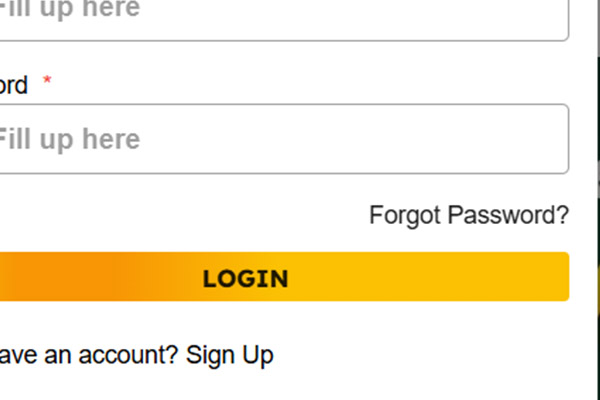
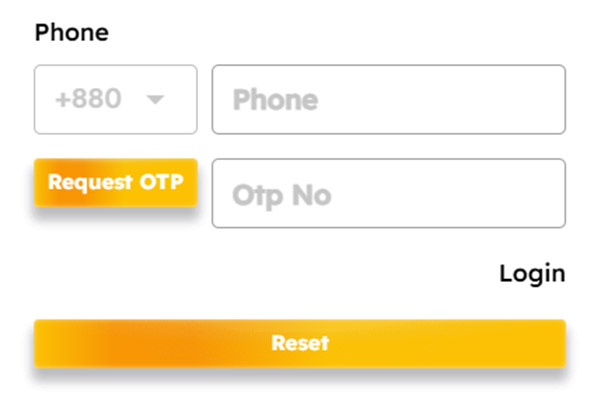
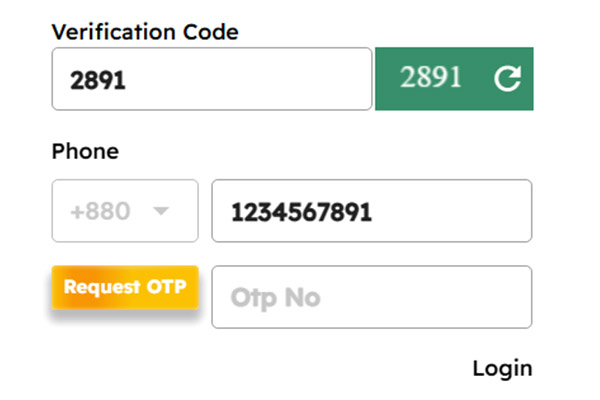
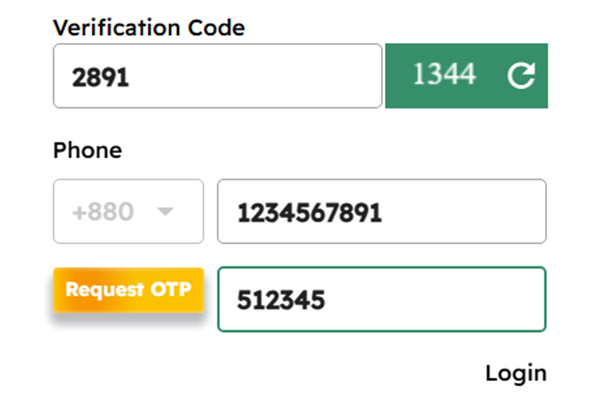
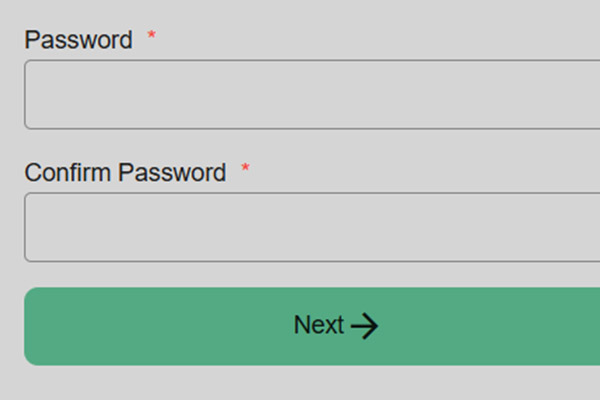
After that, you can log in with the new password and the same username.
What to do if the player no longer has access to the registered phone number?
Use email based recovery if that mailbox is still active, because the link goes there instead of SMS. If both the phone and email are lost, contact support, give your username and send ID proof so they can update the phone number and unlock access.
How to restore a Krikya account locked after multiple failed login attempts?
When an account is locked after many wrong passwords, it is a security block, not a permanent ban. First, wait for the short lock period to pass and use the official password reset instead of guessing again. If the system still shows a lock message after a successful reset, reach support through live chat or email and state that the block came from failed logins. They will ask a few questions, compare them with the account data, and then remove the lock if everything matches. Creating a second account is not an option here, it only causes more problems with KYC and withdrawals.
What information support may request to confirm identity during recovery?
Support focuses on data that only the real owner should know or have.
- Username and full name;
- Registered email or phone number;
- Date of birth and country;
- Recent deposit or withdrawal details, such as method and amount;
- A photo of your ID and sometimes a selfie with that document.
The faster you provide clear and consistent answers, the faster they can restore access.
Can a player change the registered email or phone after Krikya account recovery?
Yes, contacts can be changed, but only through a controlled update after recovery. The new email or phone has to be confirmed with a fresh code, and support can ask for documents again if the new data looks different from the old profile.
How to avoid losing access to a Krikya login in the future?
Account safety is easier if contacts are current and recovery options work.
- Keep phone number and email up to date in the profile and confirm them quickly;
- Turn on extra security options if offered, for example login alerts;
- Log out after sessions on any device that other people can use;
- Complete full KYC early, so support has enough data to verify you quickly.
With these habits, recovery stays simple, because support can always reach you through valid contacts and match your details with KYC.
Krikya Mobile App Login and Registration
How to register a new account from the Android app or mobile site?
On mobile, you create the same Krikya account as on desktop, only through a touch friendly form.
- Install the official Krikya app for Android or open the mobile site in your browser;
- Tap the Register or Sign up button at the top of the screen;
- Create a unique username, set a strong password and choose your currency;
- Enter your phone number and email, confirm that you are 18+ and accept the terms;
- Submit the form and confirm the code sent by SMS or email.
After activation this account can be used on app, desktop and mobile browser.
Does the same Krikya login work on the app, desktop site and mobile site?
Yes, one Krikya casino username and password are valid on all versions, so you can move between app, desktop and mobile browser without creating extra accounts.
How to enable fingerprint or face ID login in the Krikya app?
Biometric login becomes available only after a normal password login on that phone. Open the Krikya app, sign in with your username and password, then go to account or security settings and switch on fingerprint or face ID login. Confirm the request in the system dialog, so the app can use your saved fingerprint or face data. After that, you can log in with a touch or scan, but only on your personal phone that has a screen lock.
Why can the app log out a player during a session, and how to fix it?
Unexpected logouts usually come from timeouts, connection issues, device conflicts or cached data after updates.
| Cause | What happens in the app | Quick fix |
|---|---|---|
| Inactivity timeout | Session closes after some time with no actions | Log in again and keep sessions reasonably active |
| Unstable mobile or Wi-Fi | Bets freeze, then the app sends you to login | Move to a stable connection and reopen the app |
| Login from another device | Current session closes without a full warning | Use only one active device and log out from old phones |
| Old cache after an update | Errors or random logouts during simple actions | Clear app cache so it matches the latest version |
If logouts continue after these steps, contact support with screenshots, phone model, Android version and app version so they can check your case.
How to solve common login problems in the Krikya app after an update?
After a major update, the app can keep data that no longer matches the new version, which breaks normal login. Clear cache and stored data for the Krikya app in your phone settings, then reopen it and enter your username and password manually. If errors repeat, reinstall the app from the official download page or use the mobile site to confirm that your credentials still work. For persistent issues, prepare screenshots and contact support with your phone model, Android version and current app build.
Krikya Account Security and Rules
How many accounts can one player legally have according to the rules?
According to the rules, a player is expected to use only one real money account in their own name. Attempts to keep several profiles are treated as rule violations and are usually stopped during KYC and security checks.
Why can Krikya block or limit an account for suspicious login activity?
The system flags logins that look unsafe for the player or risky for the platform.
- Many failed password attempts in a short time;
- Logins from unusual countries or IP addresses that do not match normal activity;
- Parallel sessions from several devices that behave like shared or stolen access;
- Use of automated tools, scripts or brute force password testing.
In these cases Krikya casino can limit withdrawals, request fresh KYC checks or temporarily block the account until the owner confirms that activity is legitimate.
How to create a strong password for Krikya and update it regularly?
A good Krikya casino password is long, unique and used only for this account. Use at least 12 characters with a mix of letters, numbers and symbols, avoid names or dates and store it in a password manager instead of in chats or notes. Set a habit to change it every few months and always update it after logging in from a new device or recovering access.
From which devices and networks is it safer to log in to the account?
The safest way to access a Krikya profile is from a personal phone or computer that only you control. Use home Wi-Fi or mobile data rather than public networks in cafes, hostels or airports and keep the device protected with a screen lock and antivirus. Avoid logging in from borrowed devices or work computers, because browser autofill and saved passwords can stay there after you leave. If you must use a temporary device, never save the password and always log out when the session ends.
What actions during registration and login are forbidden by the site rules?
Registration and login must always reflect one real player using their own data.
- Creating more than one account per person or using fake names and dates;
- Sharing login details with friends, selling accounts, or letting others play from your profile;
- Registering on behalf of someone else or using their documents or phone;
- Using bots, scripts or shared accounts to farm bonuses or abuse promotions.
These actions can lead to blocked accounts, cancelled bonuses and frozen withdrawals while the risk is investigated.
How to report suspected theft or unauthorized login to Krikya support?
First change your password through the official login form if access is still possible, then log out from all devices. After that, contact Krikya support through live chat or email, describe what happened, attach screenshots and confirm your identity so they can lock the account, review the log and reverse any actions that came from the intruder.
What security tips does Krikya recommend for players who log in often?
Regular players should treat account protection like basic bankroll management.
| Area | Practical tip for frequent logins |
|---|---|
| Password | Do not reuse your Krikya password on other sites |
| Devices | Log in only from personal devices with a screen lock |
| Networks | Prefer home Wi-Fi or mobile data over public hotspots |
| Contacts | Keep phone and email current and verified |
| Sessions | Log out after large deposits or withdrawals |
Following these habits keeps the account stable, reduces the chance of theft, and makes any recovery faster if something still goes wrong.