
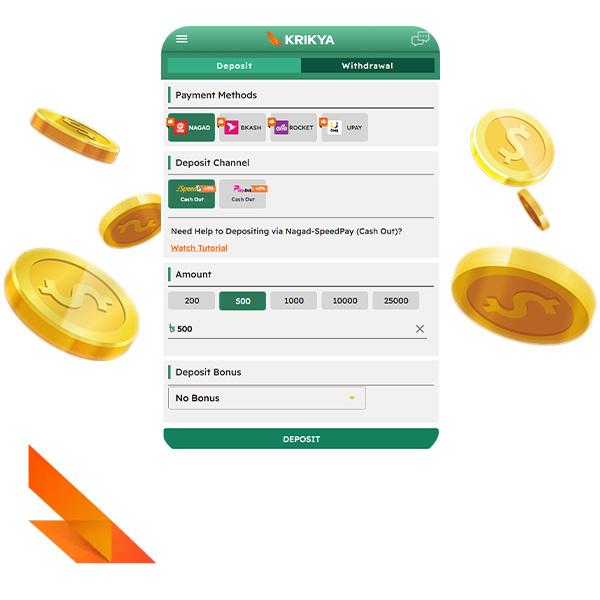
Deposits in BDT
What minimum deposit amount in BDT is required to start playing at Krikya casino?
The minimum deposit depends on the wallet you use: 200 BDT for Nagad and bKash, and 500 BDT for Rocket and Upay.
How to make a first deposit at Krikya using bKash or Nagad?
The first deposit is made through a simple transaction in the cashier:
- Log in and open Funds - Deposit;
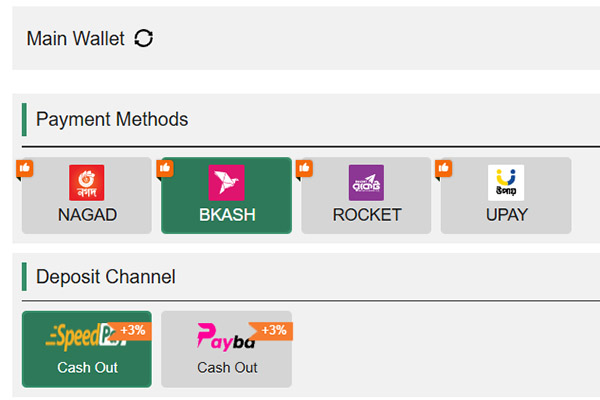
- In Payment Methods, choose bKash or Nagad;
- In Deposit Channel, click SpeedPay or Payba;
- Select an amount from the presets 200 / 500 / 1000 / 2000 / 10000 / 25000 BDT or enter your own figure;
- Confirm the deposit and complete the payment in your wallet app using the details shown in the cashier.
After a successful payment, the money usually appears on the balance within a few minutes.
How does currency conversion work if my card or account is not in BDT?
When you pay from a non BDT card or account, the bank converts the money before it reaches Krikya. You pay the bank’s rate and any FX fee on their side, and casino receives only the final BDT amount and credits it to your balance.
What to do if the deposit did not reach the account after sending money?
Before creating a second deposit, run through a short technical checklist:
- Make sure you used the official number or bank details shown in the Deposit Channel for this transaction;
- Check the transaction status in the wallet or online banking: Completed, Pending or Failed;
- Compare the amount and any payment note with what you entered in the Krikya cashier;
- Wait up to 15 minutes, because some payments via SpeedPay, FastPay or Payba can be slightly delayed;
- If money was debited but not credited, take a screenshot of the receipt with the transaction ID and then follow the instructions in the section How to contact support with proof of payment if a deposit or withdrawal is stuck.
Withdrawals in BDT
How to request the first withdrawal from the balance to a Bangladeshi wallet?
For the first withdrawal, you need a verified phone number and a positive BDT balance. Steps are straightforward:
Log in and open Funds - Withdrawal
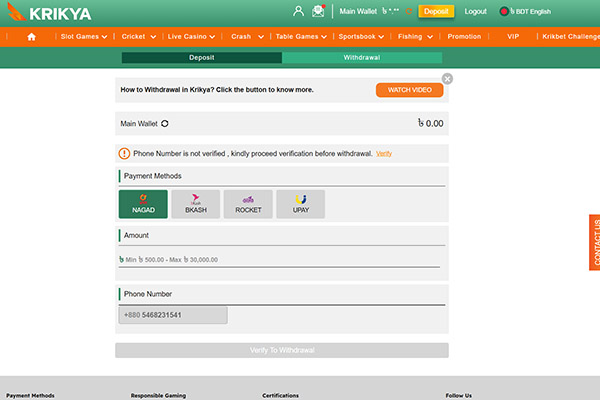
Choose Nagad, bKash, Rocket or Upay
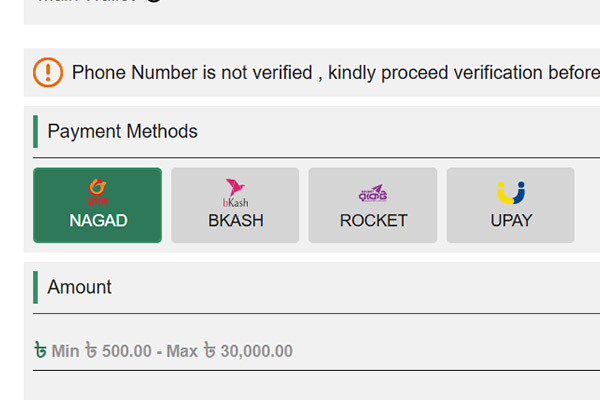
Enter an amount within the limits for this method
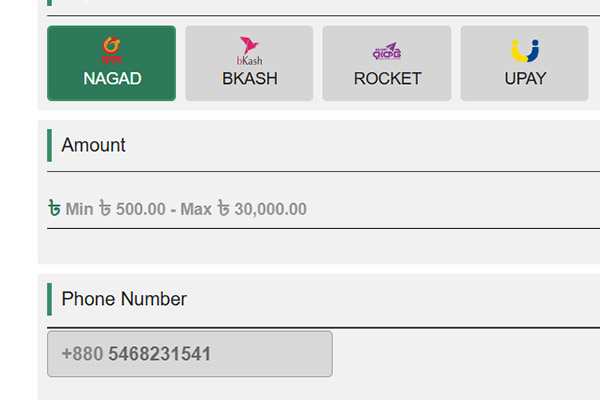
Check that the phone number shown matches your wallet
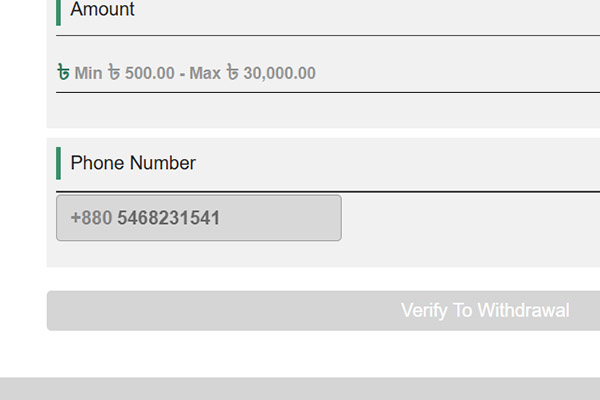
Confirm the request and wait for the status to update in the transaction list
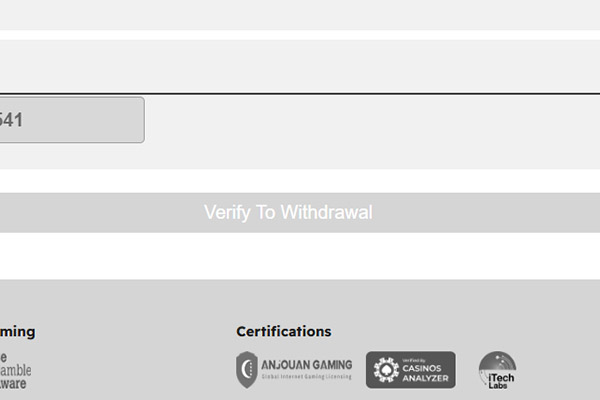
The payout then goes to the selected mobile wallet.
What minimum withdrawal at Krikya casino amount in BDT applies for standard methods?
Minimum withdrawal amounts differ by wallet: 500 BDT for Nagad and bKash, and 800 BDT for Rocket and Upay.
How long do withdrawals from Krikya usually take to reach bKash or Nagad?
Withdrawals to bKash and Nagad normally reach the wallet within a few minutes after approval. If a payout is still pending for more than about 15 minutes, it should be checked through live chat.
What to do if a withdrawal is approved but money has not arrived to the wallet yet?
A short check on both the Krikya side and the wallet side helps to locate the issue:
- Confirm that the withdrawal status in casino is Approved or Successful, not Pending or Rejected;
- Check the latest incoming transactions in the bKash, Nagad, Rocket or Upay app by time and amount;
- Make sure the phone number in the withdrawal form is the same as the wallet number;
- Compare the exact BDT amount in the request and in the wallet history;
- If more than 15 minutes have passed and there is no credit, make a screenshot of the withdrawal record and then use the instructions in How to contact support with proof of payment if a deposit or withdrawal is stuck.
Do not create a second identical withdrawal until support confirms what happened.
Payment Methods and Fees
Which deposit methods are available for players from Bangladesh?
For Bangladesh players Krikya uses four local mobile wallets for deposits.
| Method | Type | Use in cashier |
|---|---|---|
| Nagad | Mobile wallet | Deposits |
| bKash | Mobile wallet | Deposits |
| Rocket | Mobile wallet | Deposits |
| Upay | Mobile wallet | Deposits |
Which withdrawal methods can be used on Krikya for local players?
Withdrawals go through the same four wallets that are used for deposits: Nagad, bKash, Rocket and Upay. You select the wallet on the Withdrawal tab, and the payout goes to the phone number linked to that wallet.
Does Krikya charge additional fees for deposits or withdrawals?
Krikya casino itself does not add a platform fee on deposits or withdrawals. The amount you enter in the cashier is the amount that is credited or debited, and any extra cost comes from the bank or wallet side and is shown in the payment app before you confirm the transaction.
How to change the main payment method for topping up the Krikya account?
You can change your primary deposit method directly in the cashier:
Log in and open Funds - Deposit
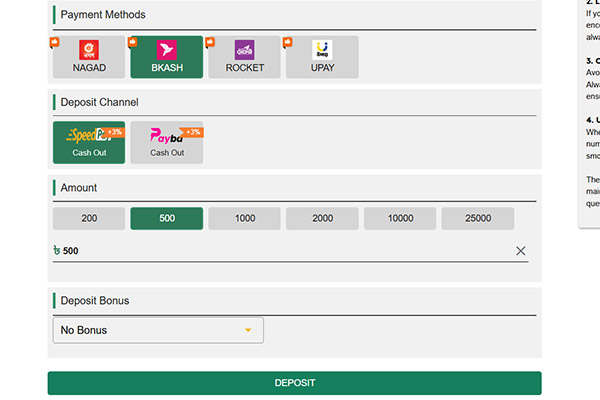
Click the wallet you want to use as your main method (Nagad, bKash, Rocket or Upay)
Make a small test deposit with this method so it becomes the default
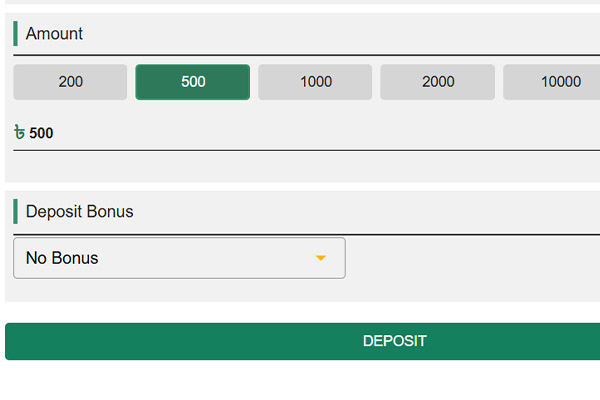
After this, the chosen wallet is preselected each time you open the cashier.
Can one payment method be used only for deposits and another for withdrawals?
Different methods for deposits and withdrawals are allowed as long as they belong to the same person. You can deposit with one wallet and withdraw to another wallet or to a bank account, but all methods must be in your name and pass verification. For large sums, support can ask to send withdrawals back to the same wallet or bank that was used for deposits.
What to do if a bank or wallet declines a payment to Krikya cashier?
If a payment is declined, a few quick checks narrow down the cause:
- Check that the amount fits the limits of the chosen method and of your bank or wallet;
- Read the exact error message in the bKash, Nagad, Rocket or Upay app or in online banking;
- Disable VPN and try again with a small amount;
- If the payment is still declined, make a screenshot with the error code and contact the bank or wallet support;
- After that open Krikya live chat, describe the method, amount and time of the failed payment and follow their instructions.
Processing Times and Limits
What are typical processing times for deposits with bKash, Nagad and bank methods in BDT?
Deposit time depends on the channel used in the cashier.
| Method type | Channel | Typical time after confirmation |
|---|---|---|
| Mobile wallet | bKash | 0-5 minutes |
| Mobile wallet | Nagad | 0-5 minutes |
| Bank | Card or transfer | 10-60 minutes or longer |
If a wallet or card deposit is still pending after about 15 minutes, the status should be checked through support.
What maximum per transaction and per day limits apply in the Krikya cashier?
Standard limits in the official Krikya website are set per transaction and differ for deposits and withdrawals.
| Method | Min deposit (BDT) | Max deposit (BDT) | Min withdrawal (BDT) | Max withdrawal (BDT) |
|---|---|---|---|---|
| Nagad | 200 | 25,000 | 500 | 30,000 |
| bKash | 200 | 25,000 | 500 | 30,000 |
| Rocket | 500 | 25,000 | 800 | 20,000 |
| Upay | 500 | 25,000 | 800 | 20,000 |
Daily limits are formed by the sum of several operations inside these ranges, and very large totals per day can be sent to manual review.
How can VIP status on Krikya influence withdrawal limits or speed?
VIP status changes how fast and how much you can withdraw at once. Limits per transaction can be increased, daily caps can be higher, and approved VIP withdrawals can go through a priority queue. For higher VIP levels, some checks are done in advance, so repeated withdrawals inside agreed limits are processed faster.
Why can a payment stay in Pending or Under review longer than usual?
Extended Pending or Under review status usually means extra checks are running:
- The amount is much higher than usual activity on the account;
- A new payment method is used for the first time;
- KYC is incomplete or names differ between account and wallet or card;
- A series of fast deposits and withdrawals appears with little real gameplay;
- Technical issues or maintenance are happening at the payment provider or bank.
While these checks run, the request stays pending without crediting or debiting.
How to track the status of a payment in Krikya transaction history?
The transaction history in your account shows the live status of each payment:
Log in and open Funds or Cashier
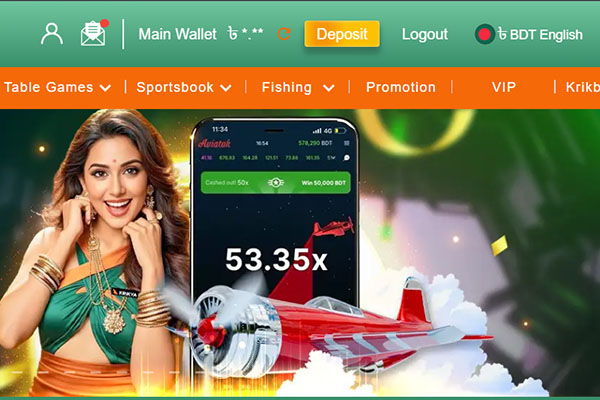
Go to the History or Transactions tab
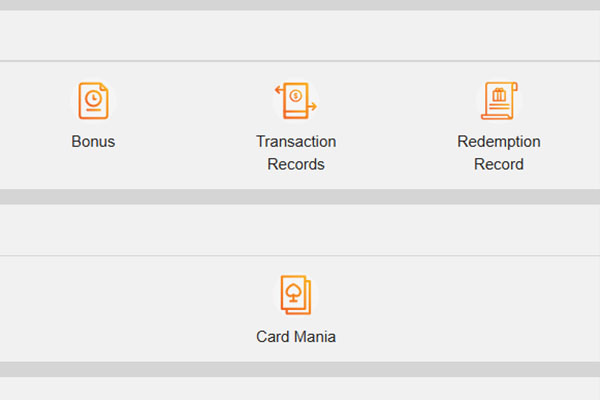
Filter by Deposits or Withdrawals
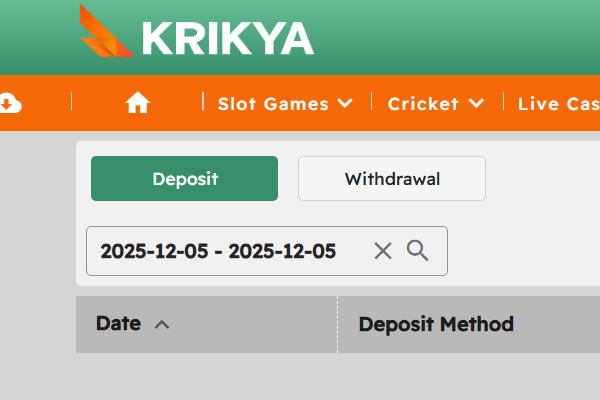
Check the status column: Pending, Processing, Approved, Failed or Cancelled
The table also shows the method, amount and time of the request, so you can quickly find the exact payment that is delayed.
Deposits, Withdrawals and Bonuses
How deposits in BDT are linked to welcome bonus activation?
A welcome Krikya bonus is attached to the first qualifying deposit, not to registration alone. For the standard sports offer this means a 100% match up to 15,000 BDT on a first deposit from 500 BDT, and the welcome offer must be selected or confirmed in the registration form or cashier. No other first deposit bonus must have been used on this account, and if all conditions are met the bonus balance and any free spins are added after the deposit is credited.
Can I withdraw while a bonus is active and why can a request be blocked?
Bonus rules control how much of the balance can be withdrawn while wagering is still active. The bonus amount and the linked part of the real balance are locked by wagering rules, and a withdrawal request can be blocked until wagering is completed. Alternatively, the bonus and all winnings from it can be removed so that only the remaining cash balance is paid. If there are clear signs of bonus abuse, the payout can be held for manual review.
How to know which bets count toward wagering of a Krikya casino deposit bonus?
To see what counts toward wagering, check three areas in the bonus terms:
- Game type
Slots usually count 100%;
Table games and live casino can count at a reduced rate or not count at all:
- Bet type
For sports, only settled bets with minimum odds from the terms count;
Void, cancelled and cashed out bets normally do not count:
- Betting pattern
Opposite bets on the same event;
Arbitrage style combinations;
Very large single stakes, far above normal play.
Bets that fall into excluded groups do not reduce the remaining wagering, even if they appear in the general bet history.
What happens with bonus funds and free spins if a deposit is refunded or reversed?
When a deposit is refunded or reversed, the linked bonus is also adjusted.
| Situation | Effect on deposit | Effect on bonus and free spins |
|---|---|---|
| Technical refund by Krikya after a payment error | Deposit is returned to original method | Bonus linked to that deposit is cancelled, bonus winnings removed |
| Failed deposit that never reached the balance | No final deposit on the account | No bonus is granted or it is removed if it was added by mistake |
| Player chargeback or forced card reversal | Bank pulls the deposit back from Krikya | Bonus balance, free spins and related winnings are removed, account can be restricted |
If a deposit is invalidated, there is no valid base for the bonus, so related promotions and winnings are not kept.
Security, Checks and Responsible Payments
What security checks does Krikya apply to large or unusual payments?
For large or unusual payments, Krikya can run extra risk and identity checks:
- Comparison of name and phone number on the profile with wallet or bank data;
- Review of recent bets to detect pure deposit withdraw cycles and bonus abuse;
- Repeated document checks when limits or payment methods change;
- IP and device checks to detect risky regions or shared devices;
- Temporary holds on payments while the risk team completes these checks.
If something does not match, the payment can be delayed, limited or reversed to the original method.
How to confirm that the payment page and wallet details for Krikya are genuine?
Basic checks on the site and details help avoid fake payment pages:
- Enter the Krikya domain yourself in the browser and log in manually;
- Open the cashier only from inside your account, not from external links or pop-ups;
- Check that the payment page uses HTTPS and the connection is shown as secure in the browser;
- Use only the wallet numbers and bank details shown in the Deposit or Withdrawal section for your account and for this transaction.
Any payment request from chats, social networks or third party messages with other details should be ignored as unsafe.
Is it allowed to deposit from one person and withdraw to another person's wallet?
Krikya follows a single owner rule for both the gaming account and payment methods. Deposits must be made from methods owned by the account holder, withdrawals must go to methods owned by the same person, and using someone else card, bank account or wallet can lead to blocked withdrawals, cancelled bonuses and account restriction.
How to set personal deposit limits in the Krikya account to control spending?
Deposit limits can be configured directly in your profile under responsible gambling tools:
- Log in and open your profile or the responsible gambling menu;
- Find the option for daily, weekly or monthly deposit limits;
- Enter the maximum BDT amount you are prepared to deposit for each period and confirm.
After that, the cashier will refuse any new deposit that would exceed this cap until the period resets, or you change the limit.
In which cases can Krikya cancel a payment due to suspected misuse of bonuses or multiple accounts?
Payments and bonuses can be cancelled when checks show that core rules were broken.
| Situation | Possible action on payments |
|---|---|
| Multiple accounts for one person | Extra accounts closed, payments and bonuses removed |
| Bonus abuse patterns | Bonus and related winnings cancelled, stake returned |
| Mismatched owner of account and wallet | Withdrawal rejected or sent back to original method |
| Chargeback or forced card reversal | Winnings voided, account restricted or closed |
| Fake or edited documents in KYC | Payments blocked, account closed |
All these scenarios follow the terms about one player per account and fair use of promotions.
How to contact support with proof of payment if a deposit or withdrawal is stuck?
Support needs a clear set of data that uniquely identifies the transaction:
- Open live chat or the help form from inside your logged in account;
- Provide username, payment method, exact amount in BDT and time of the transaction;
- Attach a screenshot or PDF of the payment receipt with transaction ID, masked wallet or card number and status from the bank or wallet app.
With these details, the payments team can trace the operation and either complete it or return the funds to the original method.